
Batch folders
Drop an entire folder and convert everything in it, not one file per command.
MarkItDown on Windows
MarkItDown is Microsoft's open source converter. It turns PDF, Word, Excel and PowerPoint into Markdown, the format that costs AI tools the fewest tokens to read. It only ships as a command line tool. Here are three honest ways to run it on Windows, two of them free.
$ python --version
Python 3.12.4

$ pip install markitdown
Collecting markitdown
  Downloading markitdown-0.1.5-py3-none-any.whl
  Installing collected packages: markitdown, ...
Successfully installed markitdown-0.1.5

$ markitdown "C:\Reports\q3.pdf" > q3.md
The free path works. It just lives in a terminal.
Nobody charges you for MarkItDown. What it costs is the road to getting it running, and then the terminal you live in after that.
MarkItDown is a Python package. Before it converts anything you install a runtime, tick "Add to PATH", and hope the version matches the docs you found.
pip install markitdown pulls a tree of packages. When one conflicts with something already on your machine, the fix is more terminal work.
Every conversion is a typed command with a quoted path. One typo in a folder name and you retype the whole line.
Bulk and recursive conversion is not built in. You write a loop, or you convert files one at a time by hand.
Bottom line Free is a great price. It is a poor description of the effort. That gap is exactly what a real installer with a drop zone closes, and it is the only thing Markdown Drop adds.
A PDF or a Word file carries font tables, layout coordinates and formatting metadata that a language model never reads. Markdown keeps the words and the structure, nothing else. That difference shows up directly in your token bill, and in how much of a document actually fits in a single ChatGPT or Claude conversation.
Same engine underneath all three. They differ in setup and trust signals, not in output quality.
Install Python, then run pip install markitdown and point the
markitdown command at a file. This is the real engine under every option
here, maintained by Microsoft, MIT licensed, no cost.
Fits you if: you already live in a terminal and a Python setup is nothing new.
MarkItDown on GitHubTwo community projects wrap MarkItDown in a window with drag and drop. Both are free, and both still need Python and pip installed first.
ivansostarkomarkitdown-gui imadreamerboymarkitdown-guiFits you if: you want a window instead of a terminal, and you are fine setting up Python once.
Still requires Python and pip.Full disclosure: I built this one. It is a comfortable Windows app around the same MarkItDown engine, with a real drop zone, progress feedback and a custom output folder, and no terminal anywhere in the experience. The installer is signed through Microsoft Azure Trusted Signing and the app is also listed on the Microsoft Store. It works offline after the one time activation. Single payment, $9.99.
No Python, no pip, no dependency maze. The installer is the whole setup.Batch convert whole folders Recursive subfolder import
 Offline after activation
Fits you if: you want a fixed price installer, a real interface, and never want to see a terminal.
| What matters | MarkItDown command line | Free GUI wrapper | Markdown Drop |
|---|---|---|---|
| Needs Python installed | Yes | Yes | No |
| Signed via Azure Trusted Signing | – | No | Yes |
| Listed on the Microsoft Store | – | No | Yes |
| Batch and recursive folders | Via scripting | Partial | Yes |
| Works fully offline | Yes | Yes | Yes, after activation |
| Support that answers | Community only | Community only | Yes |
| Price | Free | Free | $9.99, once |

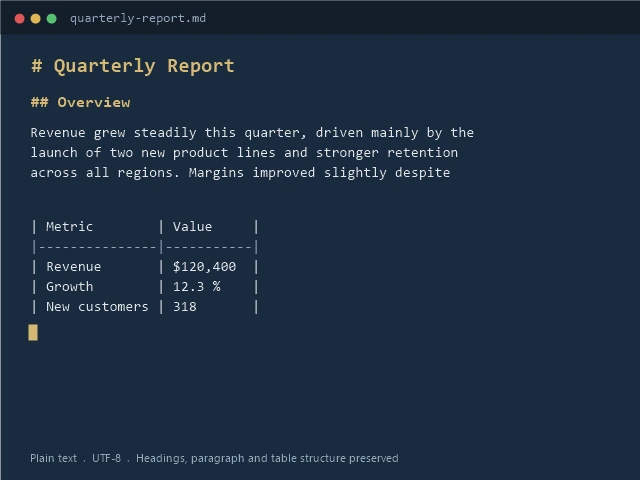
This is the whole Markdown Drop experience: pick files, press convert, done.
None of this changes the conversion engine. It changes how little you have to think.
Drop an entire folder and convert everything in it, not one file per command.
Subfolders are walked automatically, so a nested archive converts in a single pass.
Choose exactly where the Markdown lands instead of hunting for it beside the source.

PDF, Word, Excel, PowerPoint, HTML, CSV, JSON, XML, EPUB, plain text and ZIP archives.
Files never leave your machine. Only the one time activation touches the network.

$9.99 once. No subscription, no renewal, no per file meter.
The terminal and the free GUI wrappers are real options, not a lesser choice. Markdown Drop is for the moment a Python setup is one step too many, and you want a signed installer with a store listing behind it.
Built on Microsoft MarkItDown (MIT licensed). Markdown Drop is an independent product by Harry Siegmund, not affiliated with or endorsed by Microsoft.